Common Virtual Staging Mistakes to Avoid
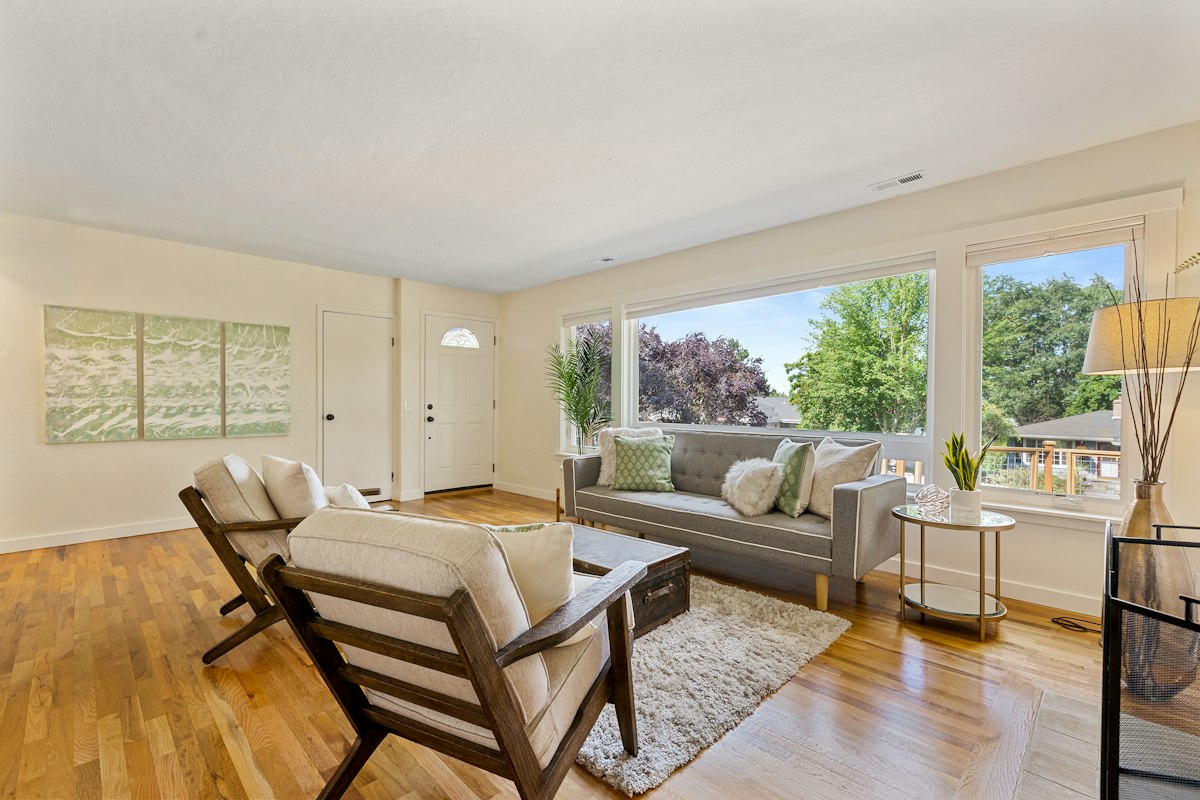
Most common virtual staging mistakes are not dramatic failures — they are small inconsistencies in scale, lighting, or disclosure that quietly erode buyer trust. A room that looks slightly wrong can make an entire listing feel untrustworthy, even when the property itself is excellent. This guide breaks down the errors that hurt realism and conversion, plus the virtual staging best practices for real estate professionals who want photos that sell.
Why Virtual Staging Mistakes Hurt Listing Performance
Buyers form an opinion of a home in seconds. In online search results, your lead photo competes with dozens of others, and the decision to click happens before anyone reads the description. When staging looks obviously edited — furniture floating above the floor, shadows pointing the wrong way, a sofa that could not physically fit through the door — that first impression shifts from "I want to see this" to "something is off here."
The damage compounds over time. Listings with unrealistic imagery tend to earn fewer clicks, fewer saves, and fewer inquiry requests, because buyers subconsciously filter out anything that feels misleading. Worse, the problem often surfaces again at the showing: a buyer who expected a furnished, styled interior walks into an empty room and feels disappointed or deceived, even if the property matches the listing exactly.
The trust gap between staged and real
Virtual staging works because it helps buyers imagine a life in the space. That only functions when the staging feels plausible. Every error — an impossible lamp, a warped window, a floating rug — adds friction to that mental exercise. The goal is never to impress buyers with the design itself; it is to make the property easier to understand.
Incorrect Furniture Scale and Room Proportions
Scale is the single most common virtual staging mistake, and also the most visible. Furniture that is too large makes a room look cramped and highlights every spatial limitation. Furniture that is too small makes ceilings look oddly high and rooms feel hollow. Either way, buyers sense that the proportions are wrong long before they can explain why.
Why oversized or undersized furniture distorts the space
A king bed dropped into a 10x10 bedroom will visually swallow the room, suggesting the property is smaller than it is. A loveseat placed in a large open living area leaves a void that reads as "unfinished." In both cases, the staging fails at its only job: helping buyers accurately judge how the space functions.
Best practices for matching furniture to room dimensions
- Measure the room or use known reference objects — door frames, baseboards, outlets, and standard 36-inch doorways — to estimate dimensions.
- Anchor the layout with a correctly scaled rug, then build furniture around it.
- Leave realistic circulation gaps: roughly 30–36 inches for main walking paths.
- Match furniture height to ceiling height so the room feels balanced rather than top-heavy.
- Check that every item could plausibly be delivered through the doorway or stairwell.
If you are unsure how a space would realistically accommodate furniture, exploring an AI room design preview can help you test layouts before committing to a final staged image.
Lighting, Shadows, and Perspective Mismatches
Our eyes are extremely good at detecting lighting that does not belong. This is why mismatched shadows are the fastest way to expose an edited image, and why virtual staging errors in real estate photos so often trace back to lighting rather than furniture choice.
Why light direction must match the original room
If sunlight streams through a window on the left of an empty-room photo, every object in the staged version must cast shadows to the right. Ignore that rule and the furniture appears pasted on. The same applies to color temperature: warm afternoon light and cool overhead lighting create different moods, and mixing them in one frame looks artificial.
Perspective errors that make furniture look wrong
- Furniture rendered at a lower camera angle than the room itself, so items appear tilted or "leaning."
- Objects with no contact shadow, so they seem to float above the floor.
- Reflections missing from glossy floors, mirrors, or glass tables.
- Horizon lines that do not align with the room's vanishing point.
Good virtual staging realism tips all come back to one principle: the furniture must obey the physics and lighting of the original photograph, not the other way around.
Over-Staging and Visual Clutter
More furniture is not better staging. Over-stuffed rooms photograph as smaller, darker, and more chaotic than they are, and buyers spend their attention on décor instead of architecture. A listing photo should answer "how does this space live?" — not "how much can fit in here?"
Why excess décor distracts buyers from the property
Every additional object competes for attention. Statement art, layered rugs, stacks of books, and a dozen throw pillows pull the eye away from the details that actually sell: hardwood floors, crown molding, natural light, and square footage.
The value of a clean, livable, minimal layout
The most effective staged images look like a well-edited home, not a showroom. Aim for three to five key furniture pieces per room, one or two pieces of art, and a restrained palette. Leave negative space — empty area is a feature, not a flaw, because it signals room to breathe and grow.
Using Styles That Clash With the Property
Style mismatches feel wrong even to buyers who cannot name the design movement. A sleek ultra-modern sofa in a 1920s bungalow, or heavy traditional wood furniture in a minimalist new-build, creates visual dissonance that makes the whole listing feel less credible.
Matching staging style to architecture and target buyer
- Historic homes: warm woods, classic silhouettes, muted traditional palettes.
- Contemporary builds: clean lines, low-profile furniture, neutral tones with one accent.
- Family neighborhoods: durable, practical layouts with clear zones for living and dining.
- Urban condos: space-efficient pieces, multifunctional furniture, lighter colors.
Why consistency across rooms matters
Buyers mentally walk through a home, and jarring shifts in style break that flow. Keep the palette, wood tones, and level of formality consistent from the living room through the primary bedroom. A cohesive listing reads as a real, finished home; a patchwork one reads as a template.
Hiding Structural Issues or Altering Real Features
Virtual staging should enhance how a space is used — never misrepresent what is actually there. Covering damage, removing permanent fixtures, or changing the architecture crosses the line from marketing into misrepresentation.
Common structural changes that should never be made
- Painting over or concealing cracks, water stains, mold, or damaged flooring.
- Removing walls, radiators, columns, or built-in cabinetry.
- Erasing or relocating windows, doors, fireplaces, or staircases.
- Replacing real flooring, countertops, or appliances with aspirational versions.
- Adding a view, a yard feature, or a window that does not exist.
Keeping fixtures, floors, and walls accurate protects both your reputation and your legal position. Buyers who arrive to find a fireplace missing or a wall where an open plan was shown will not just walk away — they will tell others why.
Poor-Quality Source Photos and Low-Resolution Assets
Virtual staging can only work with what it is given. Dim, blurry, or crooked source images produce staged photos with the same flaws, and no amount of interior styling can rescue a bad foundation.
The importance of clean, well-lit empty-room images
- Shoot with the camera level and at a consistent height, ideally around chest height.
- Turn on all lights and open blinds to maximize even, natural illumination.
- Avoid wide-angle distortion that curves walls and exaggerates room size.
- Remove personal items, trash, and clutter before the shoot.
- Capture each room from one strong, clearly defined angle.
How low-resolution furniture models reduce realism
Cheap 3D assets have soft edges, flat textures, and lighting that ignores the room entirely. Up close, they look like stickers. High-quality staging relies on well-modeled furniture with accurate materials, contact shadows, and reflections that respond to the actual scene.
If you need clean, consistent staged visuals across an entire portfolio, working with a professional services team is usually faster and more reliable than editing room by room in-house.
Disclosure, Compliance, and Buyer Expectations
Disclosure is not a formality — it is the difference between clever marketing and a complaint. Virtual staging disclosure best practices are straightforward: make it obvious, make it easy to find, and never let a buyer feel tricked.
Why staged images should be clearly disclosed
Label every virtually staged photo, typically with a small, legible note such as "Virtually staged." Include a brief line in the listing description, and check whether your local board, MLS, or state regulations impose specific wording or placement requirements.
Including unstaged photos for reference
Pair each staged image with the original empty-room photograph, either as a second image in the gallery or via a clearly labeled link. This builds trust rather than undermining it — buyers appreciate knowing exactly what they will see in person.
Avoiding surprises when buyers tour the home
The final test of any staged image is simple: does the buyer feel informed when they walk through the front door? If the answer is yes, your staging is doing its job. If not, the design was working against the sale.
For more guidance on listing visuals and property marketing, the blog covers additional strategies, and you can always contact our team with questions about a specific listing.
FAQ
What are the most common virtual staging mistakes?
The most common mistakes are incorrect furniture scale, mismatched lighting and shadows, over-staging, clashing styles, hidden defects, and poor disclosure.
How do you make virtual staging look realistic?
Use accurate room proportions, match the lighting and shadows, keep décor minimal, choose furniture that fits the property style, and start with high-quality source photos.
Should virtual staging hide flaws in a property?
No. Virtual staging should not conceal structural damage, stains, cracks, or permanent fixtures, because that can mislead buyers and damage trust.
Is disclosure required for virtually staged photos?
In many real estate marketing contexts, disclosure is strongly recommended so buyers understand that the images are digitally enhanced and know what to expect in person.
What rooms should be virtually staged first?
Focus on the rooms that matter most to buyers, such as the living room, primary bedroom, and dining area, instead of staging every space automatically.
Stage Smarter, Sell Faster
Avoiding these pitfalls comes down to accuracy, restraint, and transparency: correct scale, consistent lighting, believable design, honest representation, and clear disclosure. Get those right and virtual staging becomes one of the highest-return tools in your listing toolkit. Ready to test layouts before you publish? Try Arch.AI's AI room design to generate realistic, well-proportioned staging concepts in minutes.
From ideas to business use
Furniture retailers & interior studios
Compare a room photo, product references and an existing AI result. Check shape, colour and measurements before recommending products.
See the example and workflow →Tile showrooms
Discuss flooring choices using a visual concept. Use physical samples and room measurements for the final decision.
See the example and workflow →Property agents & developers
Explore staging ideas for listings. Show the original photo and disclose the AI concept.
See the example and workflow →Ready to design your space?
Try AI-powered room design and transform your photo into a beautifully staged room in seconds.
Try It Now