Tile Visualizer
See the ceramic, granite, or marble tile you like installed in a photo of your real room, before you buy.
Tile Visualizer
Try the tile visualizer on your own room photo
Choosing tiles from a catalog or a small sample is hard: will the color work, is the pattern too busy for your room?
Arch.AI's tile visualizer places your chosen tile directly into a photo of your real room. Upload a room photo, then a floor tile, a wall tile, or both, and compare the result with the original photo.
Built for homeowners renovating, tile shops and dealers helping customers decide, and architects and interior designers.
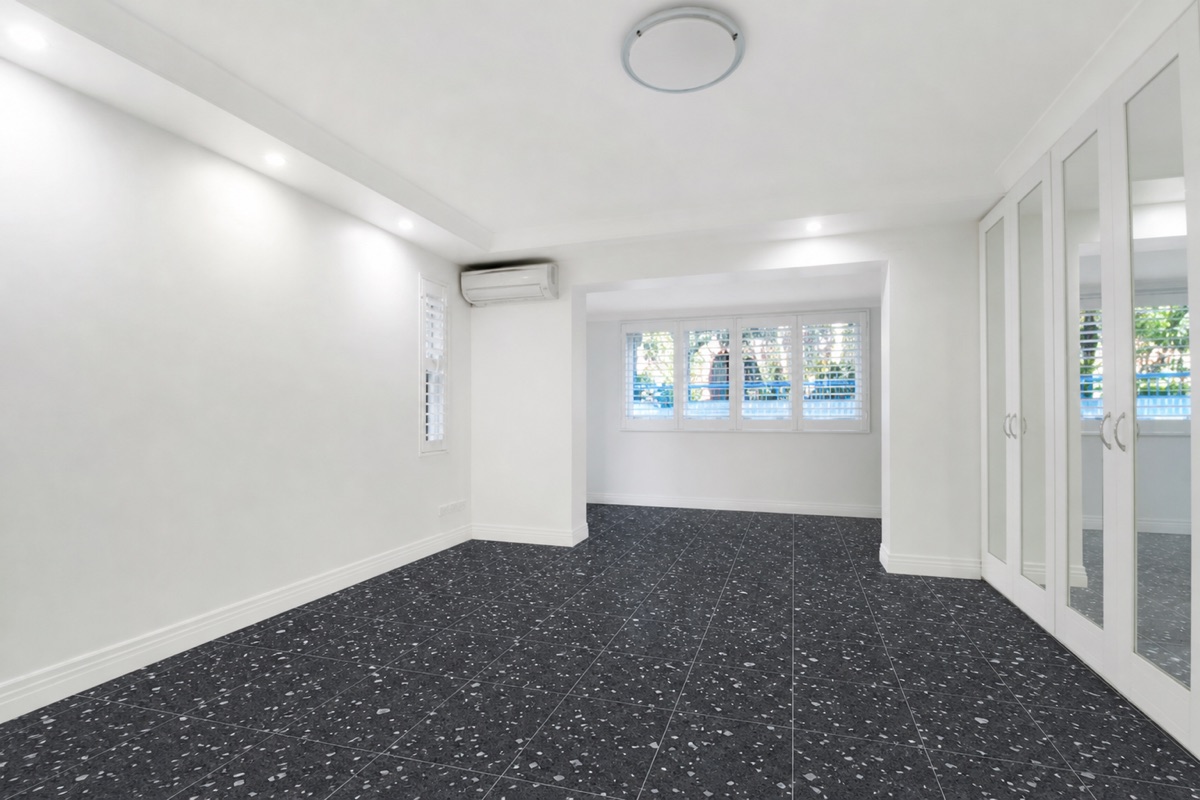
Why visualize tiles with Arch.AI
- Use a photo of any tile, including products from your usual store
- Simulate floor and wall tiles together in one generation
- The room's shape, furniture, and lighting stay true to the photo
- From Rp5.000 per simulation (1 token from the Starter pack)
- Compare several tile options before spending money
How it works
- 1
Upload a room photo
The room whose floor or walls you want to change.
- 2
Upload a tile photo
A floor tile, a wall tile, or both, to preview the tiles installed in your room.
- 3
See the result
Compare before and after, then save it for shopping reference.
Tile visualizer FAQ
Which tiles can I simulate?
Ceramic, granite, marble, terrazzo, porcelain, and wood flooring. Just upload a photo of the tile surface.
Are tile size and pattern exact?
The result is a visualization to help you choose. For installation size and grout pattern, check with your store or installer.
How many boxes of tiles do I need?
It depends on the floor area, the tile size and how many tiles come in a box. Enter your room size in the calculator to get the number of boxes, including spare tiles for cuts. Open the Tile Calculator →
How much does it cost?
Each simulation uses 1 token. The Starter pack is Rp25.000 for 5 tokens. New accounts get 3 free tokens to try.
Can tile shops use this with customers?
Yes. Showrooms and building-supply stores can use it to discuss tile options with customers, then check them against physical samples and room measurements. Our guide shows the workflow and what can change in the AI concept. See the tile showroom guide →