How to Style a Home Office for Video Calls
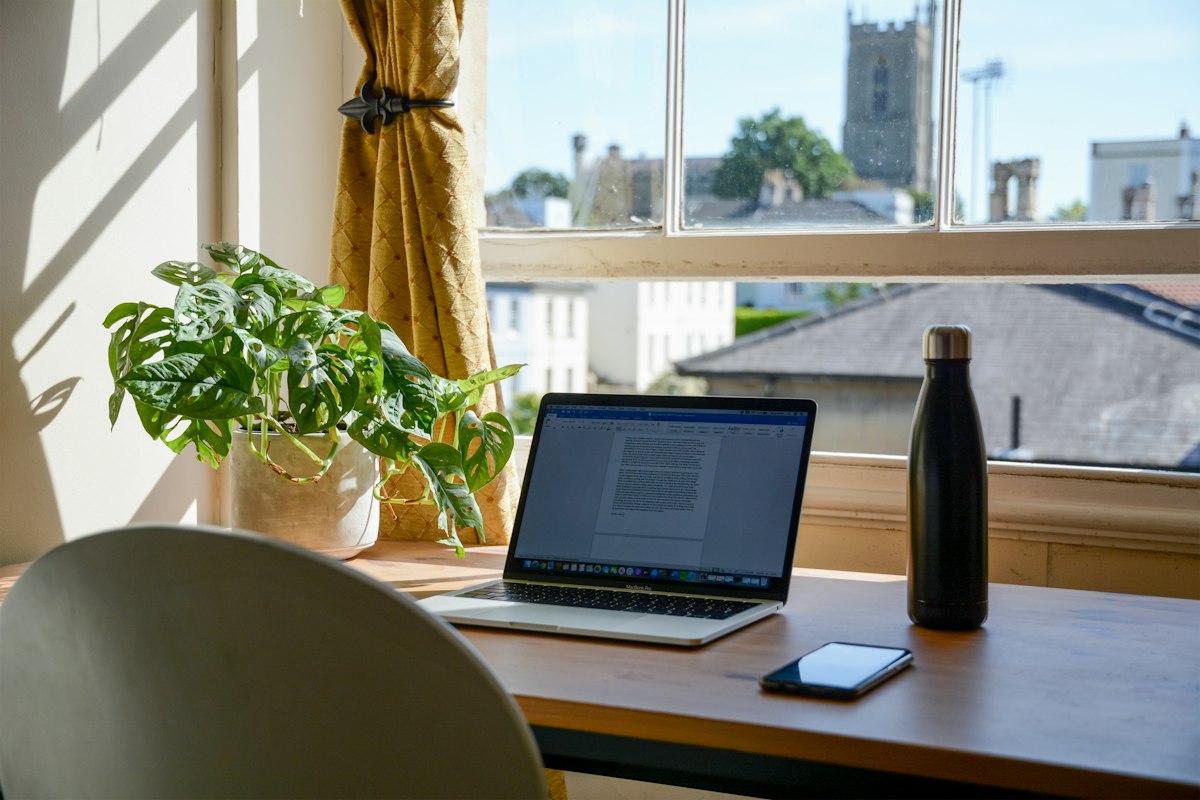
A well-styled home office for video calls does more than make you look polished on screen—it shapes how clients, colleagues, and buyers perceive your professionalism and attention to detail. Whether you're leading a remote team, hosting virtual showings, or simply want to feel more confident on Zoom, the right backdrop, lighting, and decor turn an ordinary workspace into a camera-ready environment.
Quick answer: sit three to four feet from a calm, uncluttered wall, light your face from the front or at a 45-degree angle, and keep the palette neutral—warm white, greige, or muted green. Add one or two decor pieces, such as a plant or framed art, and leave the rest of the frame empty so you remain the focal point.
Why video-call styling matters
Video calls have become the modern handshake. Before you say a word, your background communicates something about your brand, your taste, and how prepared you are. A thoughtfully styled space creates a polished first impression that supports credibility—especially for real estate agents, remote professionals, and anyone whose work depends on building trust through a screen.
The good news is that you don't need a designer's budget to get there. A few deliberate choices—a clean wall, a well-placed lamp, a single plant—make a home office feel professional without tipping into overdecorated territory. The goal is a space that looks lived-in but composed: capable and welcoming at the same time.
For real estate professionals and content creators, this matters even more. A camera-ready office doubles as a lifestyle selling point, showing buyers what a functional, attractive workspace looks like in a home. If you're exploring broader layout and design possibilities, our interior design services can help you plan a space that works both on and off camera.
Choose the best background for video calls
Your backdrop is the single most important element in any video call setup. It frames your face, sets the tone, and either supports or distracts from what you're saying. The best home office background is clean, intentional, and slightly understated.
Backdrops that work well
- A clean, single-color wall with subtle texture or one framed piece of art
- A styled bookshelf with a restrained palette of books and objects
- Minimal built-in storage with closed doors and a few curated accessories
- A soft curtain or linen panel that adds depth without visual noise
Backdrops to avoid
- Busy patterns, bold wallpaper, or high-contrast graphics
- High-traffic doorways where people or pets may wander through
- Cluttered desks, exposed cables, or overflowing shelves
- Bright windows directly behind you that silhouette your face
The principle is simple: keep the background quiet so you remain the focal point. Record a two-minute test call before an important meeting—it reveals distractions you would otherwise miss, and it is the fastest way to compare two backdrop ideas side by side.
Pick wall colors that look good on camera
Cameras don't render color the way the human eye does, which is why rooms that look beautiful in person can feel harsh or washed out on screen. Choosing the right palette is one of the easiest ways to improve how your office reads on video. Our wall color guide walks through how to test shades before you commit to a repaint.
Colors that flatter on video
- Warm white, cream, and soft beige for a clean, bright base
- Warm gray and greige for a modern, neutral backdrop
- Muted green, sage, or soft olive for depth and calm
- Natural wood tones for warmth and texture
Colors to use sparingly
- Pure white walls that can blow out under bright lighting
- Highly saturated reds, oranges, or neons that pull attention
- Glossy or reflective finishes that create screen glare
Add contrast with darker accents—a charcoal chair, a walnut shelf, a deep-toned frame—so the frame doesn't look flat. Aim for a palette that supports your skin tone and keeps attention on your face rather than the walls behind it.
Style the space with curated decor
Once the backdrop and palette are set, decor is where personality enters the frame. The trick is restraint: a few well-chosen pieces read as intentional, while too many read as cluttered. Treat your background as a still-life composition rather than a storage solution.
Decor that works on camera
- One or two plants—real or high-quality faux—for warmth and depth
- Framed art in a restrained palette that echoes the room
- A short stack of books with neutral spines or a single decorative object
- A ceramic vase, sculptural lamp, or textured basket for visual interest
Keep styling minimal so the frame feels balanced. A common mistake is filling every surface; instead, leave negative space so the eye has somewhere to rest. If you want inspiration for balancing decor across an entire room, browse our design ideas for palettes and layouts that translate well to a small frame.
Set up lighting for flattering video calls
Lighting does more for how you look on camera than almost any other factor. Even a beautifully styled room falls flat if the light is harsh, uneven, or coming from the wrong direction. The goal is soft, even illumination that flatters your face and keeps the background visible.
Lighting rules for video
- Place your main light source in front of you or slightly to the side
- Use a desk lamp, ring light, or soft window light angled at 45 degrees
- Avoid overhead-only lighting, which creates shadows under the eyes
- Never sit with a bright window directly behind you
Where possible, separate task lighting from on-camera lighting. A warm desk lamp for working can stay on, but adding a dedicated soft light for calls gives you control over how you appear. Diffused light—through a shade, curtain, or softbox—is almost always more flattering than a bare bulb or direct sun.
Add depth so the room doesn't look flat
A flat-looking background makes even a well-decorated office feel like a stock photo. Depth is what gives a video-call workspace its sense of realism and polish, and the simplest way to create it is physical distance between you and the wall behind you.
How to add depth on camera
- Sit at least three to four feet away from the wall behind you
- Layer textures—a rug, upholstered chair, linen curtain, or woven basket
- Use a shelf or plant positioned between you and the back wall
- Choose a chair with a visible silhouette rather than one that blends in
Layered textures also soften how light bounces around the room, which improves how the whole scene reads on camera. A linen curtain, a wool rug, and a fabric chair all absorb and diffuse light in ways that hard surfaces cannot.
Hide clutter and visual distractions
Clutter is the fastest way to undermine an otherwise polished setup. Cables, papers, coffee cups, and stray devices pull the eye away from your face and can make even a well-designed office look chaotic on screen.
Quick clutter-control habits
- Use closed storage—drawers, cabinets, or lidded boxes—for cables and paperwork
- Remove reflective items like mirrors, glass frames, or glossy screens from view
- Silence or relocate noisy elements such as fans, printers, or notifications
- Keep a single 'camera view' checklist inside a drawer for shared spaces
A two-minute pre-call reset
- Clear the desk surface and push stray cables out of frame
- Scan the edges of your camera frame for cups, chargers, or bins
- Set your light and camera height once, then leave them locked in place
For more room-by-room styling routines you can reuse in any space, our blog collects practical guides on layout, lighting, and decor.
Make the office brand-ready for real estate and staging
For real estate professionals and stagers, a home office is more than a workspace—it is a lifestyle selling point. Buyers respond to rooms that feel functional, aspirational, and photogenic, and a camera-ready office signals that the home supports modern remote work.
Treat the office like any other staged room: choose a clear focal point, keep the palette cohesive, and style surfaces with restraint. The same principles that make a room look good on a video call also make it look good in listing photography and virtual tours.
Testing multiple looks used to mean rearranging furniture, repainting, or hiring a stager for every variation. Today you can use virtual staging or AI interior design to explore several professional home office backdrops in minutes—comparing palettes, layouts, and decor before committing to a single setup. You can try AI room design and generate camera-ready concepts instantly.
Frequently asked questions
What is the best background for video calls in a home office?
A clean wall, a styled bookshelf, or simple built-in storage works best because it looks professional without distracting from your face. Keep the composition simple and let one or two decor pieces carry the visual interest.
What colors look best on Zoom or Teams calls?
Neutral colors such as beige, soft gray, warm white, and muted green usually perform well on camera and create a calm, polished look. Add darker accents or natural wood for contrast without overwhelming the frame.
How do I make my home office look better on video?
Use flattering front or side lighting, reduce clutter, and add a few intentional decor pieces such as art, books, or a plant. Sit a few feet away from the wall behind you so the background gains depth.
Should my desk face a window for video calls?
Natural light helps, but avoid sitting with a bright window directly behind you because it makes you look dark or silhouetted. Angle your desk so window light falls across your face from the side or the front instead.
How can I make a small home office look professional on camera?
Keep the background minimal, use vertical styling such as shelves or art, and choose a simple color palette so the space feels larger and more refined. Limiting the frame to one clear focal point keeps small rooms from feeling cramped on screen.
Ready to design a camera-ready home office?
Styling a home office for video calls comes down to a few fundamentals: a clean backdrop, a flattering palette, soft lighting, and restrained decor. Get those right and your workspace looks professional on every call without a full renovation. When you're ready to experiment with layouts, palettes, and backdrops before committing, Arch.AI's AI room design tool generates and compares camera-ready concepts in seconds—and if you would like help translating those ideas into a real space, our team is always a message away.
From ideas to business use
Furniture retailers & interior studios
Compare a room photo, product references and an existing AI result. Check shape, colour and measurements before recommending products.
See the example and workflow →Tile showrooms
Discuss flooring choices using a visual concept. Use physical samples and room measurements for the final decision.
See the example and workflow →Property agents & developers
Explore staging ideas for listings. Show the original photo and disclose the AI concept.
See the example and workflow →Ready to design your space?
Try AI-powered room design and transform your photo into a beautifully staged room in seconds.
Try It Now